
Adobe Photoshop AI Assistant vs Competitors: Which Should You Choose?
Adobe’s new AI Assistant for Photoshop is best for professional designers and creative teams already embedded in the Adobe ecosystem who want to automate repetitive editing tasks through natural language prompts and agentic workflows. In contrast, general-purpose multimodal models like GPT-4o, Claude 3.5 Sonnet, and Gemini 1.5 Pro offer broader capabilities but lack Photoshop’s deep, pixel-perfect integration and creative tool-specific intelligence.
Overview
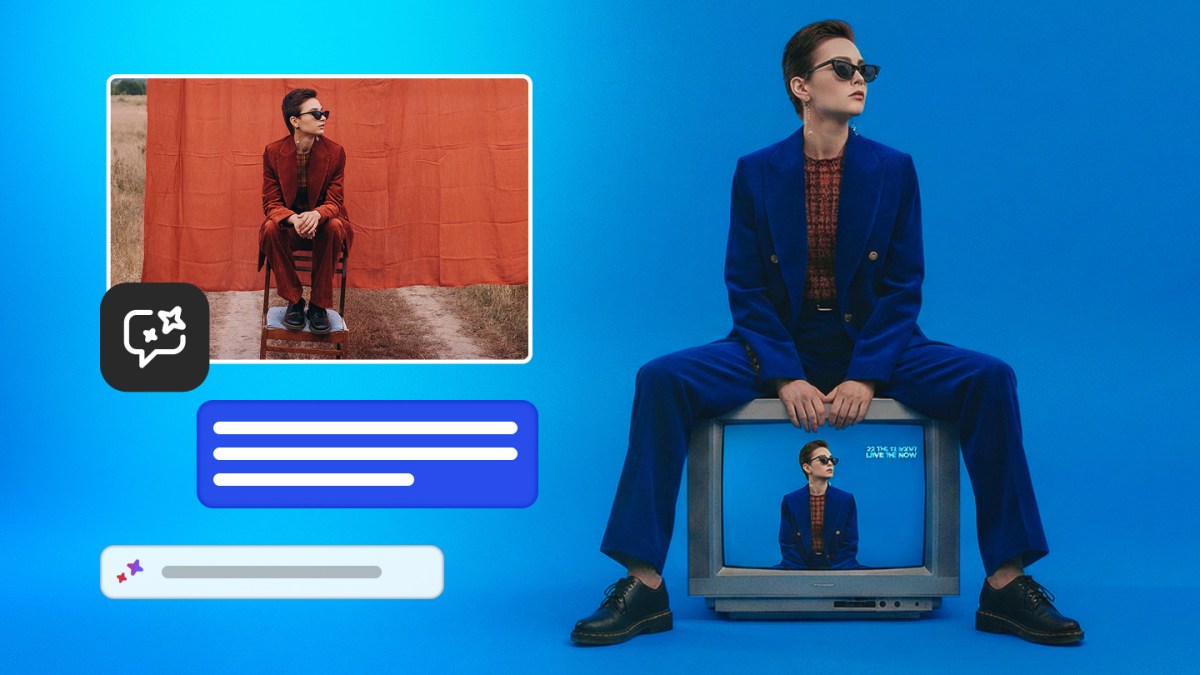
Adobe announced on March 10, 2026 that its previously teased AI Assistant for Photoshop is now available in beta on the web and mobile apps. The assistant lets paid Photoshop users edit images using natural language prompts — removing objects, changing colors, adjusting lighting, adding soft glow, cropping to specific formats, enhancing shadows, or transforming backgrounds. It also introduces “AI markup,” which allows users to draw markers on screen to instruct the AI. Simultaneously, Adobe is expanding its Firefly generative media tool with Generative Fill, Generative Remove, Generative Expand, Generative Upscale, and a one-click background remover.
This release builds on the initial announcement at Adobe MAX in October 2025, where the company first positioned the assistant as an agentic AI tool designed to handle repetitive tasks and deliver personalized recommendations. The current rollout focuses on practical image editing inside Photoshop itself rather than standalone generation.
Feature Comparison Table
| Model / Tool | Context Window / Limits | Price (input/output per M tokens or subscription) | Standout Capability | Best For |
|---|---|---|---|---|
| Adobe Photoshop AI Assistant | Unlimited generations (paid users until Apr 9, 2026); 20 for free users | Included in Photoshop subscription (~$20–$60/mo depending on plan) | Agentic editing inside Photoshop + AI markup drawing interface | Professional designers & creative teams |
| OpenAI GPT-4o + DALL·E 3 | 128K context | $2.50 / $10 per M tokens (GPT-4o); image gen separate | Strong natural language + high-quality image generation | General creative work, ideation |
| Anthropic Claude 3.5 Sonnet | 200K context | $3 / $15 per M tokens | Excellent reasoning & code, weaker native image editing | Complex multi-step creative reasoning |
| Google Gemini 1.5 Pro | 1M–2M context | $3.50 / $10.50–$15 per M tokens (depending on tier) | Massive context + native multimodal understanding | Large projects, research-heavy editing |
| Midjourney / Firefly (standalone) | N/A (image-focused) | Firefly: unlimited for subscribers; Midjourney ~$10–$120/mo | High aesthetic image generation | Concept art & standalone generation |
Note: Adobe does not publish per-token pricing; the assistant is bundled into existing Creative Cloud subscriptions. Firefly now offers unlimited generations for paid subscribers.
Detailed Analysis
Agentic Workflow vs Prompt-and-Forget
Adobe’s assistant is explicitly agentic — it can execute a series of repetitive tasks, understand context within the Photoshop document, and surface personalized recommendations. This is a meaningful step beyond the simple “describe what you want” paradigm used by most competing image-generation models. Competitors like GPT-4o or Gemini require users to export/import images or use external plugins, breaking the creative flow. Adobe’s integration keeps everything non-destructive and inside the native toolset.
New Firefly Capabilities
The expansion of Firefly with Generative Fill (already familiar in Photoshop), Generative Remove, Expand, Upscale, and one-click background removal brings professional-grade editing features to Adobe’s web-based media tool. Adobe has also integrated over 25 third-party models (including OpenAI’s image generation, Runway Gen-4.5, Google’s Nano Banana 2, and Black Forest Labs’ Flux.2 Pro), giving Firefly users access to a wide range of generative backends through a single interface.
Worth Upgrading?
For existing Photoshop subscribers, this is a meaningful upgrade rather than incremental. The ability to use natural language and drawing-based markup to perform precise edits (remove people, change lighting, transform backgrounds) directly inside the app can save significant time on repetitive tasks. The improvement is most noticeable for professional workflows that previously required manual layer work or multiple tools. Users who only occasionally edit images may find the gains smaller.
Migration Effort
Very low for current Adobe users. The assistant is rolling out automatically in beta to web and mobile versions of Photoshop for paid users. No new software installation is required. Designers already using Firefly will immediately benefit from the new Generative Expand, Remove, and Upscale tools. Switching from a competitor (e.g., Figma + Midjourney or Canva + Magic Studio) requires moving assets into the Adobe ecosystem, which can be non-trivial for large teams due to file format and workflow differences.
Pricing Comparison
Adobe’s model is subscription-based rather than token-based:
- Photoshop single app: ~$20–$30/month
- Creative Cloud All Apps: ~$60/month
- Free tier: 20 AI generations (limited functionality)
- Firefly paid subscribers: unlimited generations (as of February 2026 announcement)
In contrast, using GPT-4o or Claude for similar image-related tasks incurs per-token costs that can add up quickly for heavy users, plus the overhead of switching between tools. For professional creatives who already pay for Creative Cloud, the AI Assistant represents strong price/performance because the marginal cost is effectively zero until the unlimited period ends on April 9, 2026.
Use Case Recommendations
Best for Professional Designers & Agencies
Adobe Photoshop AI Assistant is the clear winner. The native integration, agentic capabilities, and pixel-level precision make it far more efficient than stitching together ChatGPT + DALL·E or Claude + external editors.
Best for Startups & Indie Creators
It depends on existing tools. Teams already in Adobe should activate the beta immediately. Those using free or lower-cost tools (Canva, Figma, Midjourney) may find the subscription cost harder to justify unless they need professional-grade output and workflow efficiency.
Best for Enterprise Creative Teams
Strong recommendation. The combination of agentic AI for repetitive tasks, unlimited generations (during promotional period), and integration with existing Creative Cloud licenses reduces time-to-delivery and helps scale output. The ability to draw markup on screen is particularly useful for collaborative review cycles.
Best for General Image Generation & Ideation
Standalone tools like Midjourney, Flux, or GPT-4o image generation still lead in pure creative exploration and aesthetic quality for users not requiring Photoshop’s advanced editing features.
Verdict
The Adobe Photoshop AI Assistant is a must-upgrade for existing Photoshop and Creative Cloud users, especially those doing repetitive editing work. The agentic nature and deep product integration deliver practical time savings that general-purpose models cannot match inside a professional design environment.
For users outside the Adobe ecosystem, it is a wait-and-see situation. The beta is promising, but the real test will be how well the assistant handles complex, multi-step projects after the initial promotional unlimited period ends.
Price/performance verdict: Excellent for current Adobe subscribers. The feature set justifies the existing subscription cost and, during the unlimited generation window, offers superior value compared to paying per-token on OpenAI or Anthropic for image tasks.
Overall, Adobe has successfully moved from “generative fill” experiments to a practical, agentic creative co-pilot that is purpose-built for professional designers — a niche where it currently leads the competition.
Sources
- Adobe is debuting an AI assistant for Photoshop | TechCrunch
- Adobe Delivers New AI Innovations, Assistants and Models Across Creative Cloud
- Adobe launches AI assistants for Express and Photoshop | TechCrunch
- Adobe Photoshop Adds AI Assistant to Automate Repetitive Design Tasks - MacRumors
- Adobe's New AI Assistant Features Simplify Photoshop and Lightroom | Fstoppers
All technical specifications, pricing, and benchmark data in this article are sourced directly from official announcements. Competitor comparisons use publicly available data at time of publication. We update our coverage as new information becomes available.