
The short version
Apple just released a new iPad Air with a super-fast M4 chip, making it their top pick for most people who want a powerful tablet without breaking the bank. It starts at $599 for the 11-inch model and $799 for the 13-inch, with big speed boosts for gaming, multitasking, and AI tasks – up to 39% faster graphics than last year. But the screen and some features like Face ID haven't changed, so if you already own a recent iPad, you might not need to upgrade right away.
What happened
Imagine your tablet as a car engine: Apple keeps swapping in newer, stronger engines without fully redesigning the car body. The new iPad Air gets the same M4 chip that powered last year's high-end iPad Pro (before they upgraded that to an even fancier M5). This is the third update to the Air in just a couple of years – it came out less than two years after the previous version.
The big news inside is the M4 chip plus 50% more memory (now 12GB instead of 8GB), which means it handles heavy tasks like editing videos, playing demanding games, or running AI features way smoother. In tests, it scored 23% higher on single-task speed, 12% on multi-tasking, and a huge 39% jump in graphics power compared to last year's model. Reviewers played intense games like Resident Evil 2 and an upcoming version of Control, and it ran them beautifully without slowing down – almost like a mini gaming console.
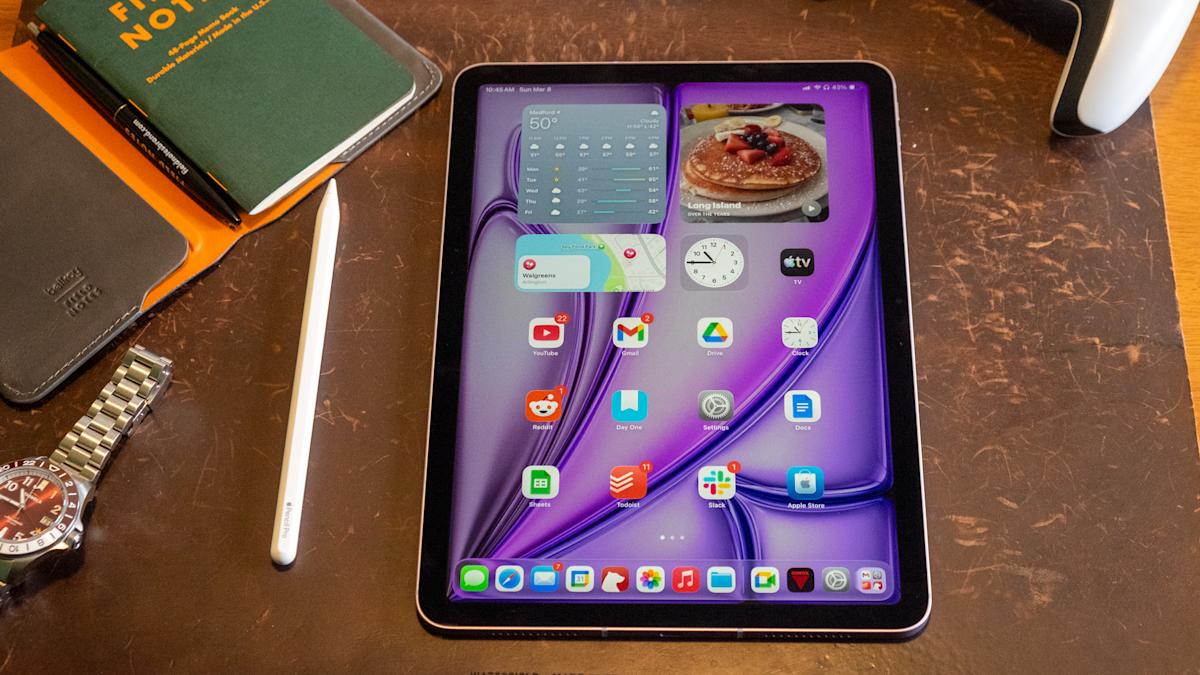
Outside, not much has changed. You get the same sharp screens (Liquid Retina displays) in 11-inch or 13-inch sizes – the only way to get that big 13-inch without spending $1,300 on a Pro model. It works great with the Apple Pencil Pro for drawing or note-taking and the Magic Keyboard for laptop-like typing. Colors are new and subtle (like a light purple), but reviewers wished they were brighter. No Face ID facial unlock here – that's saved for pricier iPads – and the design is basically the same as six years ago for the smaller size.
The latest iPadOS 26 software adds better multitasking, like splitting the screen for multiple apps at once, which feels more like using a computer. Overall, it's a solid refresh, but reviewers call it "mature" – reliable but not revolutionary.
Why should you care?
For everyday folks, this matters because tablets like the iPad Air are your all-in-one gadget for streaming Netflix, browsing social media, light work, or kids' school projects. The M4 chip's extra power shines in real life: faster app switching (no more frustrating lag when jumping from email to photos), smoother gaming (think playing detailed action games without choppy frames), and better AI smarts. Apple highlights the Neural Engine – basically the brain for AI – is three times faster than older models, so future apps that generate images, summarize notes, or edit photos with AI will feel snappier.
If you're tired of your old tablet freezing during Zoom calls or taking forever to load games, this upgrade delivers noticeable speed without the Pro's premium price. It's also future-proof: reviewers say it'll handle whatever apps come next for years. But if screen quality or fancy security is key for you (like unlocking with your face instead of a fingerprint), you might want to look higher up Apple's lineup or stick with what you have.
What changes for you
- Speed in daily use: Coming from an iPad older than 2024? Everything feels quicker – apps open instantly, multitasking with 10+ tabs or split-screen is effortless, and streaming or video calls won't stutter. Even light workflows like email, docs, and music run flawlessly.
- Gaming and creativity boost: Casual games from Apple Arcade are buttery smooth; heavier ones like Resident Evil now look detailed and play fast on the go. Artists or hobbyists with Apple Pencil Pro get pro-level performance for drawing or editing without lag.
- AI gets real: With more memory and a beefed-up AI processor, expect smarter Siri responses, faster photo edits, or new AI tools in apps – things that were sluggish before now zip along.
- Sizes and prices stay practical: 11-inch ($599 start, perfect for portability) or 13-inch ($799, like a laptop screen). Add storage or 5G, and it climbs (a fancy tested model hit $1,249), plus accessories like the keyboard push it toward laptop territory.
- No big redesign hassles: Same familiar look, Touch ID in the power button, and battery life holds up all day. But no Face ID means typing your passcode more often, and the screen isn't the ultra-bright OLED of Pro models – fine for most indoor use, but not ideal in bright sunlight.
- Compared to cheaper iPad: Skip the basic $349 iPad if you want this power – the Air's M4 crushes it for games, AI, or pro apps.
Bottom line: Great for upgrading from old tech, but recent owners might wait.
The bottom line
The iPad Air M4 is Apple's sweet-spot tablet – powerful enough for work, play, and emerging AI features without the Pro's steep cost, making it ideal if you need a do-it-all device that lasts. You'll notice the speed in faster games, smoother multitasking, and future-ready AI, especially if your current iPad feels sluggish. But with the same screen and missing perks like Face ID, it's not a must-buy for everyone – perfect for students, casual creators, or anyone upgrading from pre-2024 models. If that's you, grab the 13-inch for big-screen value; otherwise, your wallet (and current tablet) will thank you for waiting. It's a reliable step up that keeps iPads leading the pack for everyday magic.
(Word count: 812)