
The Short Version
Granola is an AI-powered note-taking app that records and summarizes meetings directly from your computer instead of using intrusive "bot" participants. The company just raised $125 million, valuing it at $1.5 billion, as it shifts from a simple note-taker to a powerful tool for managing team projects. This update means your meeting notes can now automatically feed into other AI tools, helping you get more work done without manual copy-pasting.
What Happened
If you’ve ever been in a video call where a "bot" joined the meeting to take notes, you know it can feel a bit awkward. Granola became popular by doing things differently: it runs quietly on your own computer, capturing audio locally so you don't have to invite a stranger to your private call.
Recently, Granola hit a major milestone, raising $125 million in new funding. This pushes the company’s value to $1.5 billion. While they started as a simple "prosumer" app (software for professionals that feels like a consumer app), they are now expanding into the "enterprise" world. This means they are building tools specifically designed for companies to organize their collective knowledge, keep data secure, and connect meeting notes to other work software.
Why Should You Care?
Think of your meeting notes as a giant pile of digital paper that usually sits in a drawer, never to be looked at again. Granola is changing that by making your notes "actionable."
Instead of just storing a transcript, Granola wants to be the "brain" that connects your meetings to the rest of your digital workflow. If you use AI to help with work tasks, Granola now provides a way for that information to flow automatically into your other tools. For the average user, this means less time spent manually summarizing emails, scheduling follow-ups, or searching for that one specific detail mentioned in a meeting three weeks ago.
What Changes for You
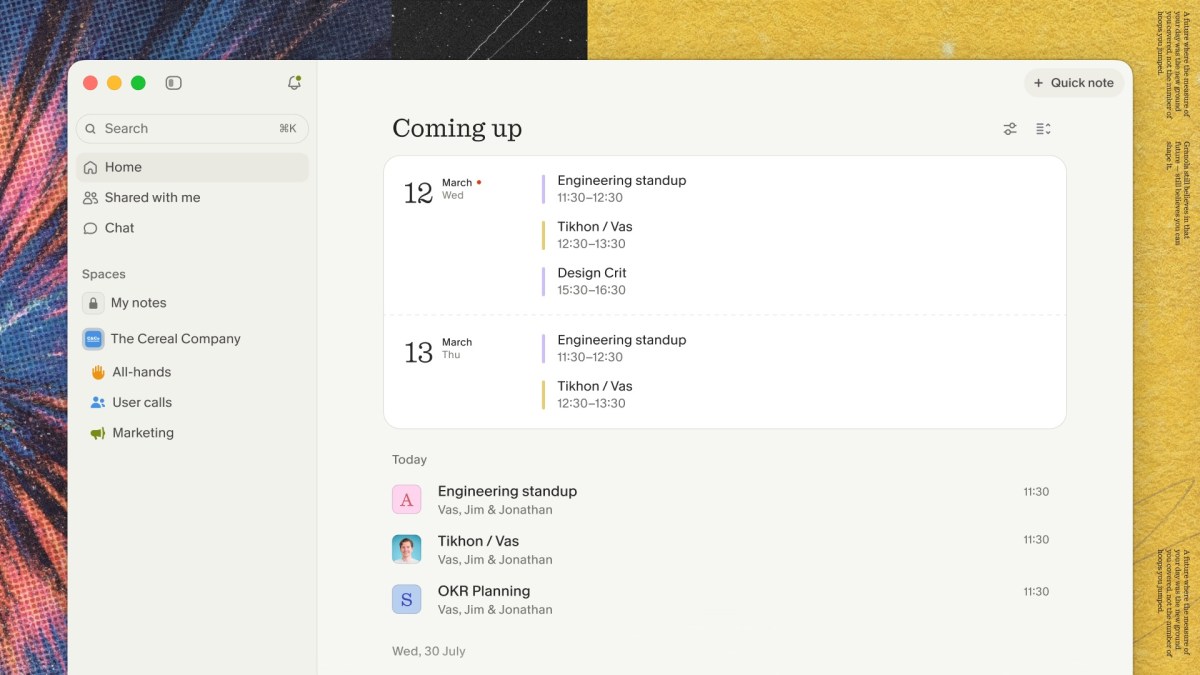
If you use Granola, the biggest change is the addition of "Spaces." Think of Spaces as shared digital filing cabinets for your team. You can organize your notes into folders, control who can see what, and quickly search through them.
Additionally, the company is launching new "APIs." Don't let the technical term scare you—an API is essentially a digital bridge. These bridges allow your Granola notes to talk to other apps you use, like ChatGPT or Claude. If you are a power user who likes to automate your daily tasks, these bridges will make it much easier to have your AI assistant "read" your meeting notes to draft follow-up emails or project updates for you.
Frequently Asked Questions
Is Granola better than other meeting AI tools?
Granola differentiates itself by running on your computer to transcribe meetings, meaning it doesn't need to "join" your calls as a third-party bot. This makes it less intrusive and more private for the people you are meeting with.
Will this change cost me more money?
The report mentions that new features like the "Personal API" are available to users on Business and Enterprise plans. If you are on a free or basic plan, you may need to upgrade if you want access to these advanced automation tools.
When can I use these new features?
The company is rolling out "Spaces" and the new APIs as part of this major update. You should see these options appearing in your Granola dashboard as the company updates its platform.
The Bottom Line
Granola is graduating from being a "note-taker" to becoming a "work-doer." By securing significant funding and adding tools that help your notes talk to your other AI applications, they are betting that the future of work isn't just about recording meetings—it’s about turning those conversations into instant, organized action. For you, this means less busy work and more time for the actual tasks that matter.