
The short version
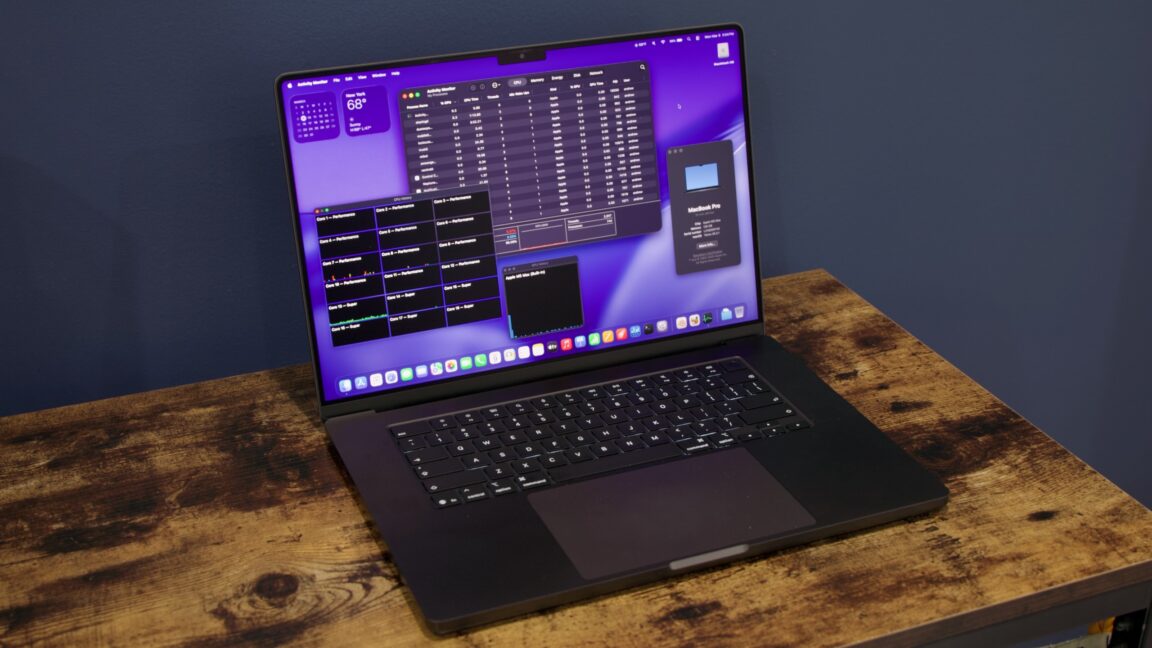
Apple's new 16-inch MacBook Pro with the M5 Max chip is a high-end laptop upgrade that makes heavy tasks like video editing, 3D rendering, and AI work much faster without needing efficiency-saving "lite" cores. It splits the processor into two connected pieces—one for brainpower (CPU) and one for graphics (GPU)—and uses only powerful "super" and "performance" cores for top speed. For everyday users, this means smoother performance on demanding apps, quicker AI features like image generation, and laptops that handle pro-level work without slowing down, though it's pricier and aimed at power users.
What happened
Imagine your laptop's brain (the processor, or chip) as a busy kitchen. Older Apple chips crammed everything—cooking (CPU for general tasks), fancy plating (GPU for graphics and video), and storage access—into one big, crowded counter. This worked fine but limited how much power they could pack in without wasting space or energy.
With the 2026 16-inch MacBook Pro's M5 Max (and M5 Pro), Apple changed the recipe using a "Fusion Architecture." They split the kitchen into two connected counters: one handles all the CPU cores (up to 6 "super" cores for the fastest tasks and 12 "performance" cores for steady heavy lifting), and the other manages up to 40 GPU cores plus memory speed. No more "efficiency" cores—these are like lazy helpers that sip power for light chores; everything here is full-throttle for big jobs. It's like ditching a minivan for two tuned sports cars linked by a bridge: more power, better flow.
Testing on preproduction models (done in January-February 2026) shows real gains. Single-task speed is about 10% faster than last year's M4 Max. Multi-tasking jumps 10-30%, graphics 20-35%, and AI stuff like processing large language models (LLMs) or generating images is up to 4x-8x quicker than older M1 chips. The design looks the same as 2021 models—still sleek and sturdy—but inside, memory bandwidth hits up to 614 GB/s (think super-fast data highways), and a 16-core Neural Engine turbocharges on-device AI without cloud help.
Apple announced this in March 2026, positioning it for pros doing video edits, 3D modeling, or AI experiments. It's not a total redesign; it's an "iterative upgrade" like swapping a solid engine for a hotter one in your car.
Why should you care?
If you're not editing 4K videos or running AI models daily, this might feel like overkill—but it matters because Apple powers everyday tools with these chips. Apps like Final Cut Pro, Photoshop, or even future Apple Intelligence features (smarter Siri, photo edits) will run buttery smooth on M5 machines. Battery life stays strong since there's no power-hungry "always-on" efficiency mode, but peak speed means less waiting.
For regular folks, cheaper MacBooks trickle down power from these flagships. AI gets personal: imagine generating custom images 8x faster right on your laptop, no internet needed. Costs? Expect $3,000+ for top configs (not specified here), but it future-proofs against bloated apps. Graphics leaps (3-4x over base M5) mean gaming or creative apps feel next-gen without a desktop.
What changes for you
- Faster everyday AI: The upgraded Neural Engine means Apple Intelligence features—like summarizing docs or creating images—process quicker. If you use Photos or Notes, edits and suggestions won't lag.
- Pro apps fly: Video calls with effects, photo batch-edits, or light coding? 66-120% multi-core boosts over base M5 mean no beachball spinner during zooms or exports.
- No design shock: Same slim chassis since 2021—ports, keyboard, screen unchanged. Base storage bumped in lower models (e.g., 1TB vs. 512GB).
- Upgrade path: Big leap from M1/M2 (2.5x CPU speed), modest from M4. If your MacBook chugs on big files, this halves wait times.
- Power efficiency: All high-power cores, but Apple tunes for battery life—sustained workloads won't drain as fast as Intel days.
- Pricing ripple: 14-inch base M5 now $100 more but with double storage; expect sales to push older M4s cheaper.
Nothing breaks your workflow; software updates make it seamless. SSD reads/writes double for snappier file access.
Frequently Asked Questions
### When can I buy the M5 Max MacBook Pro?
Apple introduced it in March 2026, with testing on preproduction units from January-February. It's available now through Apple stores and resellers, though exact ship dates aren't detailed—check Apple's site for stock.
### How much faster is it really for normal use?
For single apps like browsing or docs, about 10% quicker than M4 Max. Heavy stuff like video rendering or AI image gen sees 20-35% graphics boosts or up to 8x on AI tasks vs. M1. It's twice as fast multi-tasking as base M5.
### Is it worth upgrading from an M4 or older MacBook?
If you're on M1/M2 and do creative work, yes—2.5x gains. From M4 Max, it's a solid 10-30% bump, best for graphics/AI pros. Casual users might wait for price drops or base models.
### Does this make AI features better on Mac?
Yes, the 16-core Neural Engine with high-bandwidth memory speeds up on-device AI like 4x faster LLM processing and 8x image generation vs. M1. No cloud needed, so private and instant.
### What's the difference between M5 Pro, Max, and base M5?
Base M5 has efficiency cores for light tasks; Pro/Max ditch them for pure power (18 CPU cores total). Pro: 20 GPU cores, 307 GB/s memory; Max: 40 GPUs, up to 614 GB/s. Max crushes graphics/multi-core by 3-4x over base.
The bottom line
Apple's 2026 16-inch MacBook Pro with M5 Max isn't flashy on the outside, but its split-chip design and all-powerful cores deliver pro-grade speed for AI, graphics, and multi-tasking—making demanding apps feel effortless. For you, it means future-proof laptops where creative tools and smart features run locally and lightning-fast, saving time on work or hobbies without surprise costs or changes. If you're eyeing a high-end Mac, this is the muscle car upgrade; otherwise, cheaper models borrow the tech. Grab it if power matters—your next big project will thank you.
(Word count: 842)
Sources
- Ars Technica: Testing Apple's 2026 16-inch MacBook Pro, M5 Max, and its new "performance" cores
- Apple Newsroom: Apple introduces MacBook Pro with all-new M5 Pro and M5 Max
- Apple Newsroom: Apple debuts M5 Pro and M5 Max to supercharge the most demanding pro workflows
- Macworld: MacBook Pro M5 Pro & Max 2026 complete guide
- MacRumors: Apple Unveils MacBook Pro Featuring M5 Pro and M5 Max Chips
- AppleInsider: M5 Pro and M5 Max arrive in MacBook Pro